a practical starting point
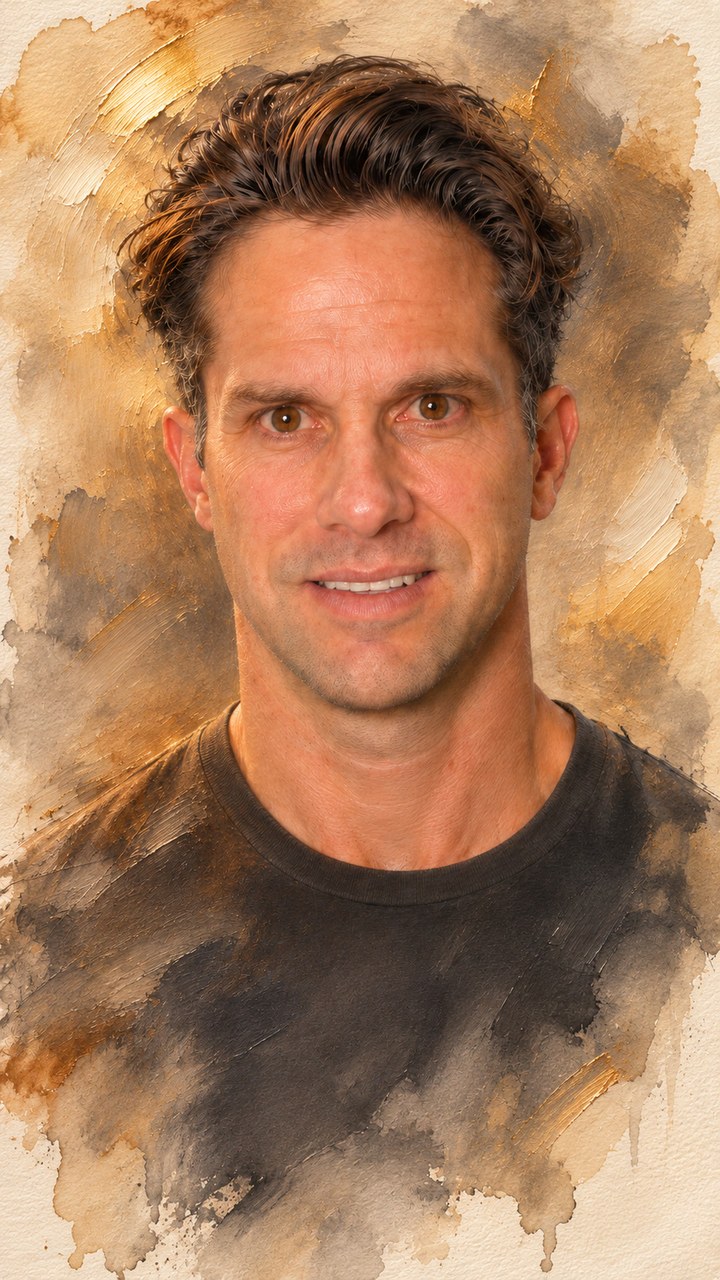
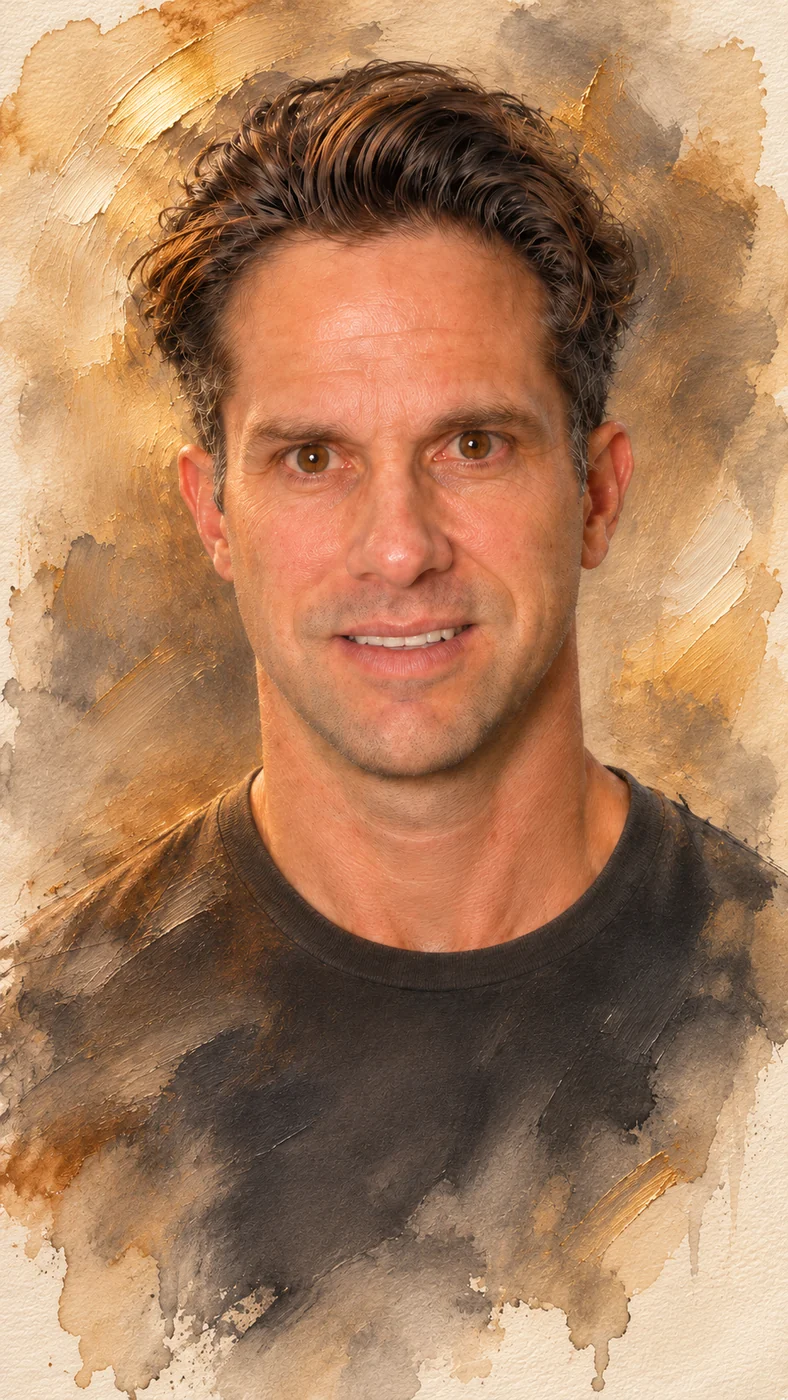
Painterly Portrait in Warm Tones
The reel keeps the face recognizable and lets the hair, shoulders and background dissolve into brushwork. Start from a close portrait so the original expression has enough detail to survive the change.
See the looks
Finished examples from the reel, in the same order. Select a look title to jump to its complete prompt.
What you can make
- Turn your portrait into warm mixed-media artwork with a recognizable face and unfinished brush-textured edges.
- Reusable prompts you can adapt to your own work.
- Compare the facial proportions and age with the original before you judge the brushwork. Ask for more texture around the edges if you want a looser painting without changing the face.
Choose your source photo
Upload one sharp head-and-shoulders portrait with your complete hairline visible. Soft window light and a simple background work well. Keep the face large enough to see the eyes, nose, mouth and natural skin detail.
Open an image-editing tool
Use an image-editing interface that accepts photo uploads and a written instruction, such as OpenAI Images. Attach your source photo and paste the complete prompt below. The short slash labels in the reel name the looks; they are not required commands. For each new effect, start again from the original upload.
Paint the portrait
Keep the original expression and composition while changing the surface into layered paint and paper.
Transform my uploaded portrait into a sophisticated mixed-media painted portrait. Preserve the person's exact starting composition, pose, expression, face geometry, eyes, nose, mouth, jaw, hairline, age, skin tone and recognizable hairstyle. Retain the existing clothing and shoulder proportions. Render the central facial features with realistic painterly precision. Let the outer hair, shoulders and background dissolve into visible ochre, cream, charcoal and warm gold brushwork on textured paper. Combine layered oil-and-watercolor textures, handcrafted impasto marks, unfinished edges and quiet atmospheric depth. Keep the warm light direction consistent with the original portrait. The texture should feel intentional and handmade, while the face remains the same person. Do not reshape the features, smooth away age cues or make the subject younger. Use a vertical 9:16 composition with comfortable margin around the hair and shoulders. No lettering, logos or watermark.
Review and save your result
Compare the result with your original photo. Check facial proportions, age, hands and the full frame. If something drifts, upload the original again and ask for that specific correction before saving your preferred version.
Make it your own
Compare the facial proportions and age with the original before you judge the brushwork. Ask for more texture around the edges if you want a looser painting without changing the face.