a practical starting point
Courtyard Suit Walk
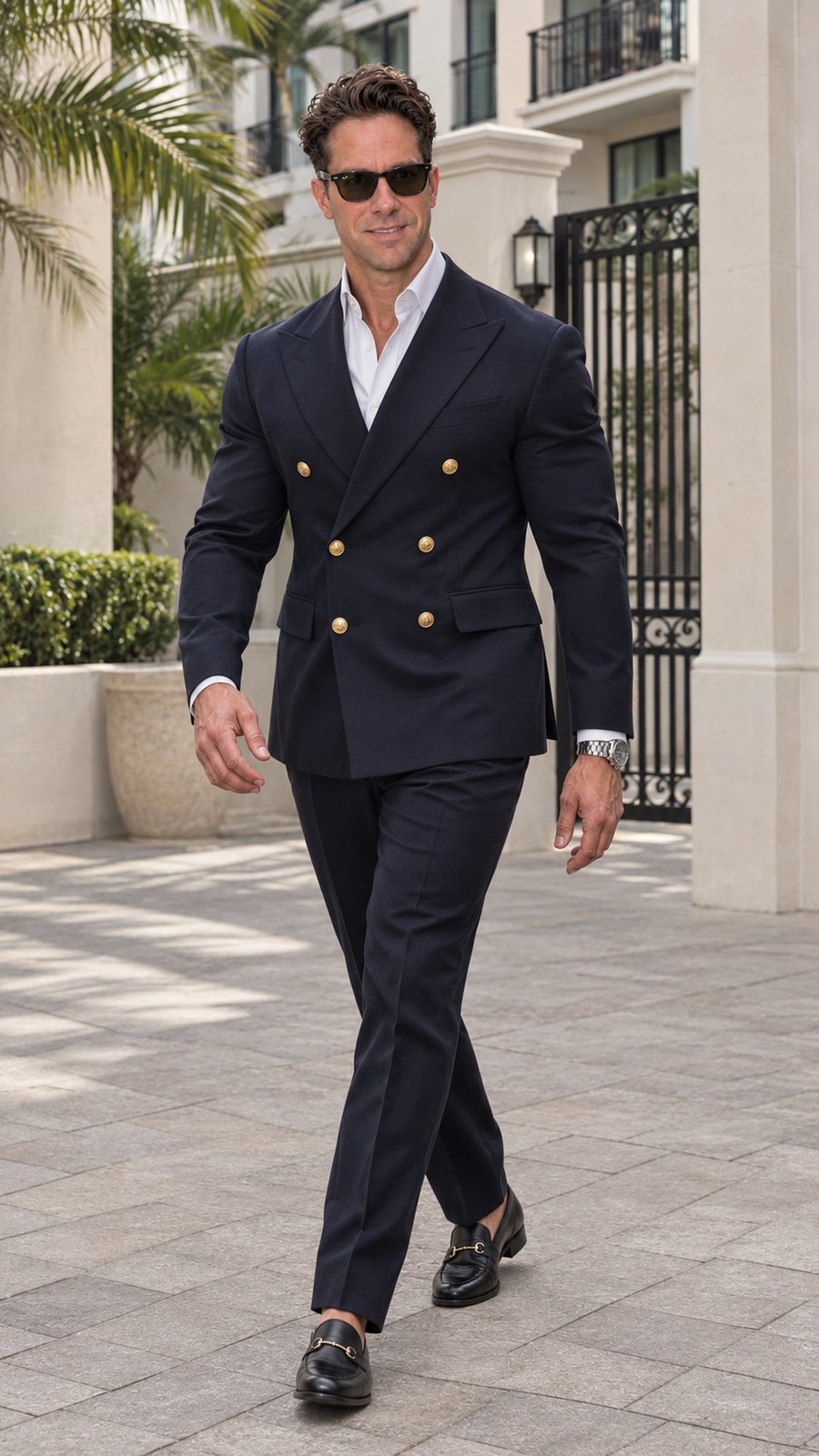
Start with a location and your own identity photos, then make the walking and close-up looks from my reel. Two prompts cover the three result images.
See the looks
Results appear in reel order. Each gallery title links to its matching full prompt. The short slash phrases in the reel name the effects; use the complete prompts below.
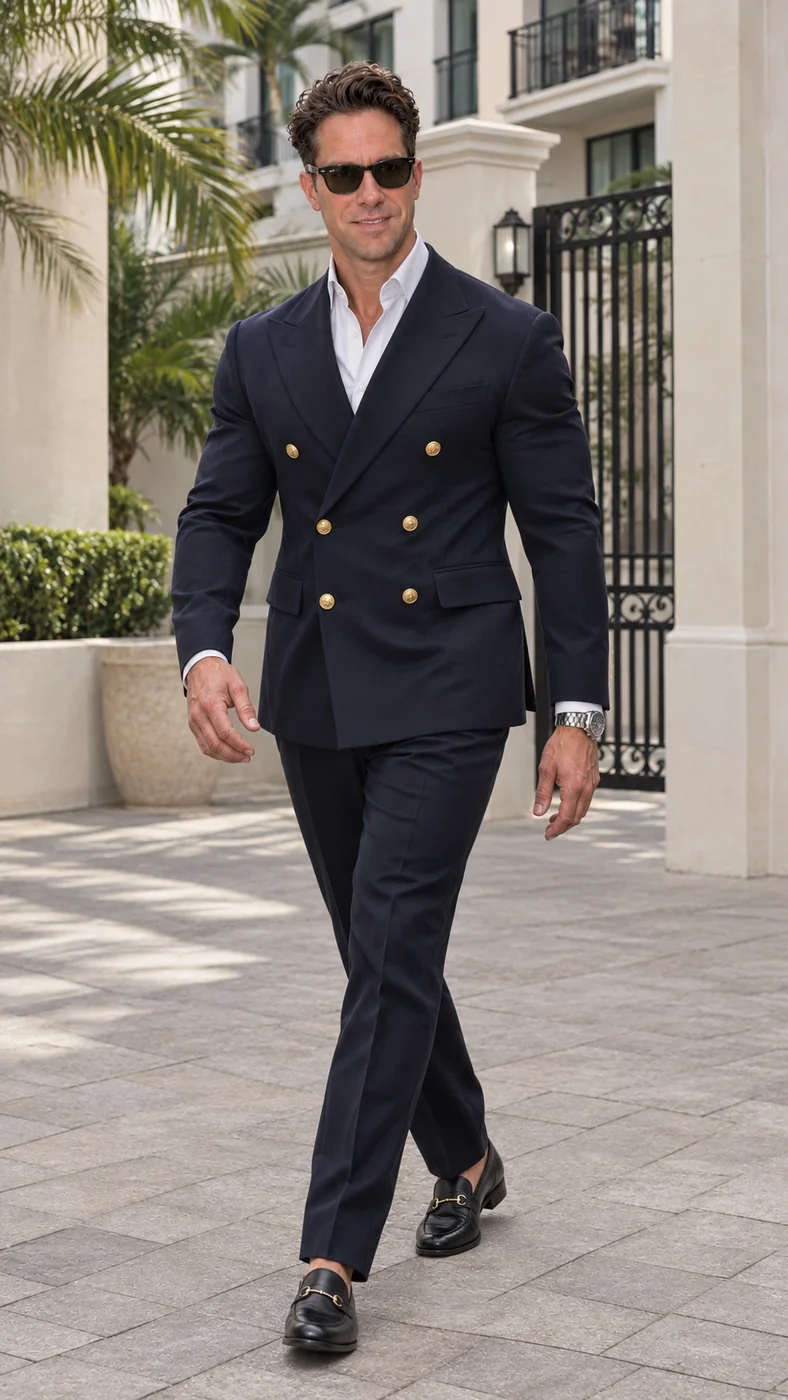
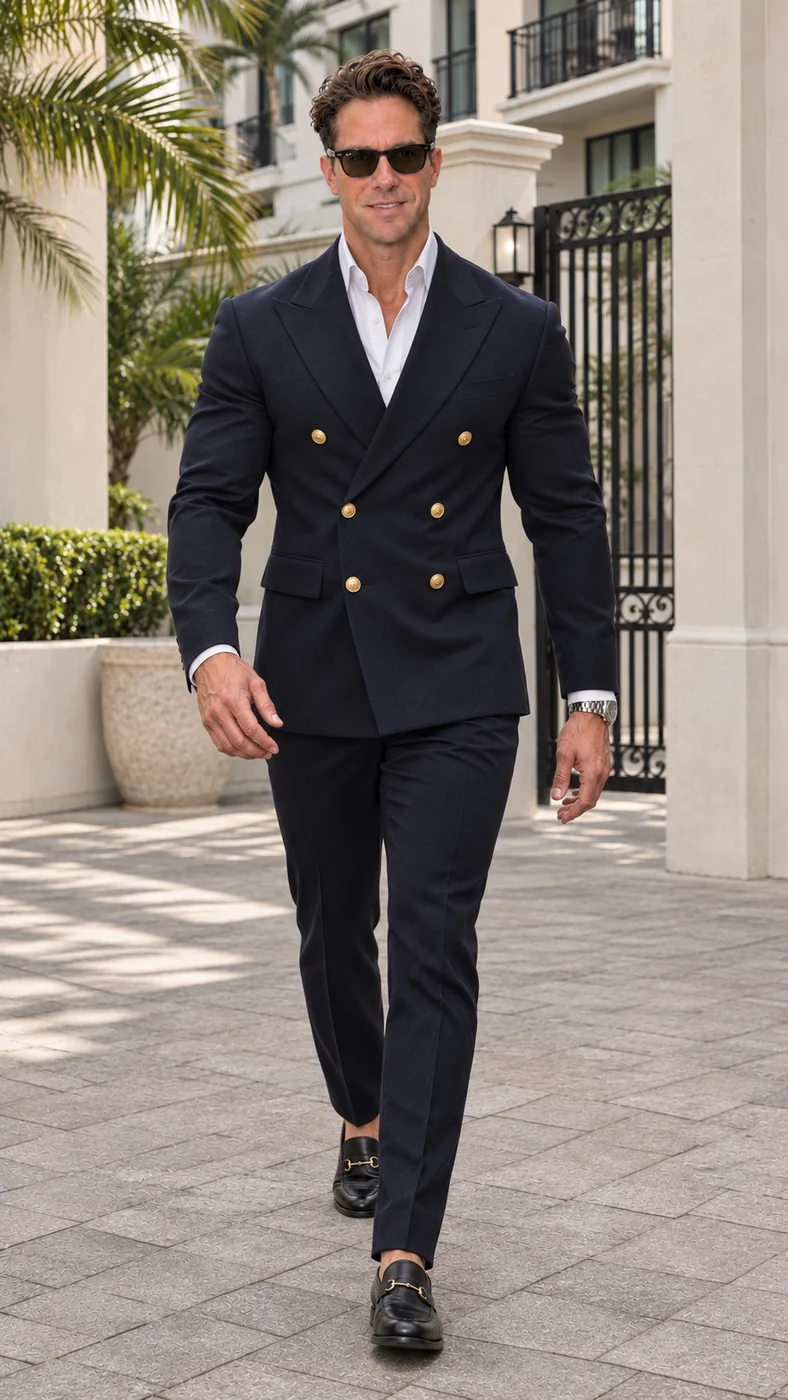
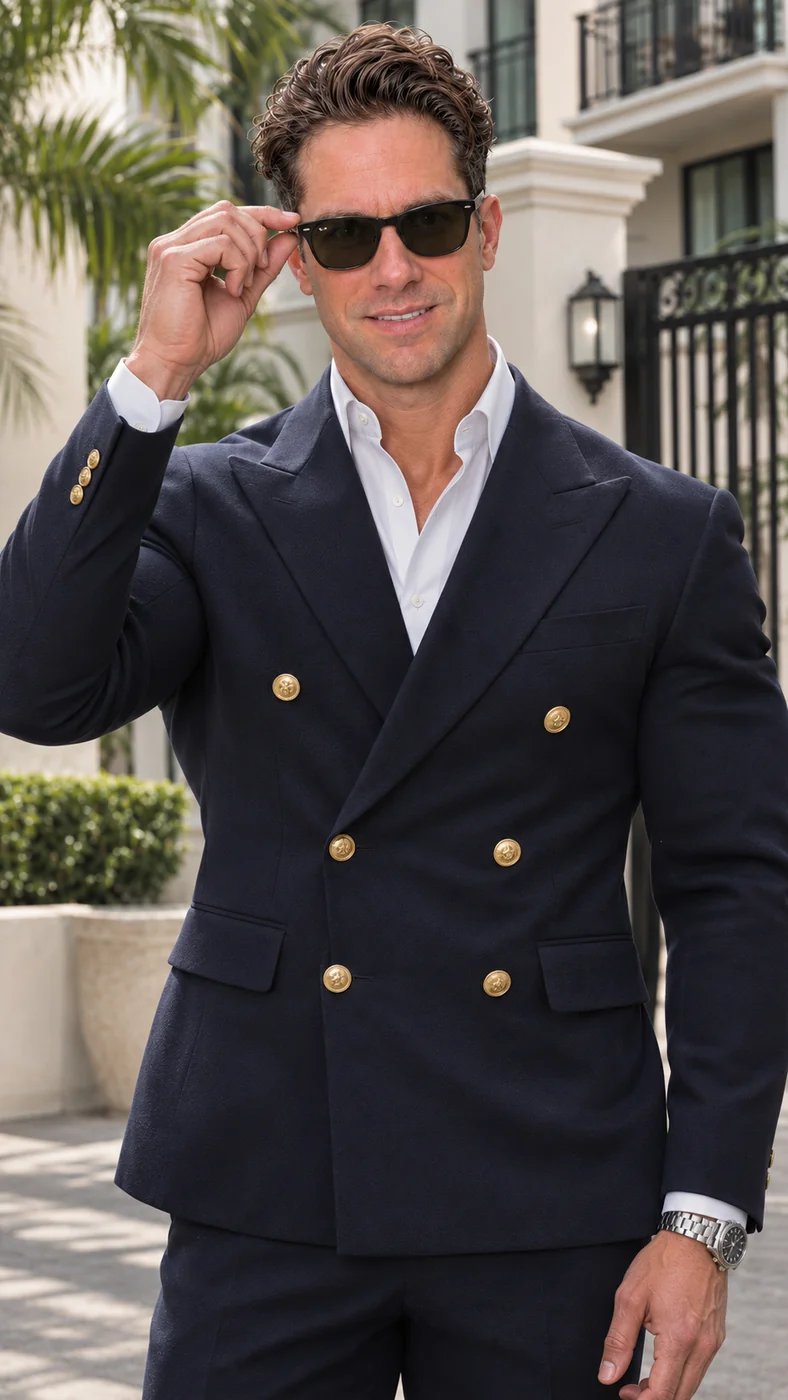
What you can make
- Build a tailored-suit courtyard sequence with two walking views and a sunglasses close-up.
- Reusable prompts you can adapt to your own work.
- Use a courtyard you like and keep the suit details consistent. After choosing a walking result, attach it for the close-up so the light, jacket and location match. Check sunglasses, fingers and suit buttons at full size.
Choose and upload your source photos
Open an image editor that accepts reference photos and choose its image-editing mode. Upload a clear portrait and a full-body photo of the same person. For the walking scene, also upload an empty courtyard or similar location photo. Label the person photos as identity references and the empty location as the setting reference. If you have no location photo, the prompt describes the courtyard to create.
Courtyard suit walk: two views
Paste the complete prompt below with your source photos attached. The reel shows 2 examples of this effect. Choose one view or pose from the prompt, generate a single image, then repeat for another option.
Use the person in the uploaded photo as the identity reference. Preserve their facial geometry, age, hairline, skin tone and natural body proportions. Keep natural skin texture and realistic anatomy; do not substitute a different face or idealize their body. Use any attached empty courtyard photo for the environment only; use the person photos for identity and body proportions. Create an editorial fashion photograph of that person wearing a navy double-breasted tailored suit with six gold buttons, a white high-collar dress shirt, black leather loafers, black sunglasses and a silver watch. Use a pale modern courtyard with cream pillars, a black iron gate, palms and apartment balconies, or preserve the attached courtyard architecture. Choose ONE pose for this image: a natural stride in a side-front three-quarter view; OR walking directly toward the camera in a closer, full-length frontal view. Frame the entire body from head to soles, with paving visible around the shoes. Use an eye-level camera and soft neutral daylight from upper left. Make one image at a time. Make one photorealistic vertical 9:16 image. Keep hands and limbs plausible, lighting coherent and clothing textures believable. No added captions, watermarks or logos.
Sunglasses close-up
Attach your chosen courtyard walking result and paste this prompt to keep the same outfit, light and location in the sunglasses portrait.
Use the person in the uploaded photo as the identity reference. Preserve their facial geometry, age, hairline, skin tone and natural body proportions. Keep natural skin texture and realistic anatomy; do not substitute a different face or idealize their body. Use the chosen walking result as the outfit and location reference. Create a waist-up editorial portrait of the same person in the same navy double-breasted suit, white high-collar shirt, black sunglasses and silver watch. They stand square to the camera, with their right hand lightly holding the outer temple of the sunglasses. Preserve the courtyard with cream pillars, palms and apartment balconies behind them. Frame from waist to hair top, keeping the face large and sharp. Use an eye-level 50mm portrait feel and the same soft daylight from upper left. Keep the fingers, glasses and suit details realistic. Make one photorealistic vertical 9:16 image. Keep hands and limbs plausible, lighting coherent and clothing textures believable. No added captions, watermarks or logos.
Check and save your results
View the image at full size. Compare the face and body proportions with your source photo, then check hands, shoes, reflections and outfit continuity. Ask for a targeted correction if needed. Save the image you like before trying the next variation.
Make it your own
Use a courtyard you like and keep the suit details consistent. After choosing a walking result, attach it for the close-up so the light, jacket and location match. Check sunglasses, fingers and suit buttons at full size.