a practical starting point
Camera in Hand: 3 Photo Prompts
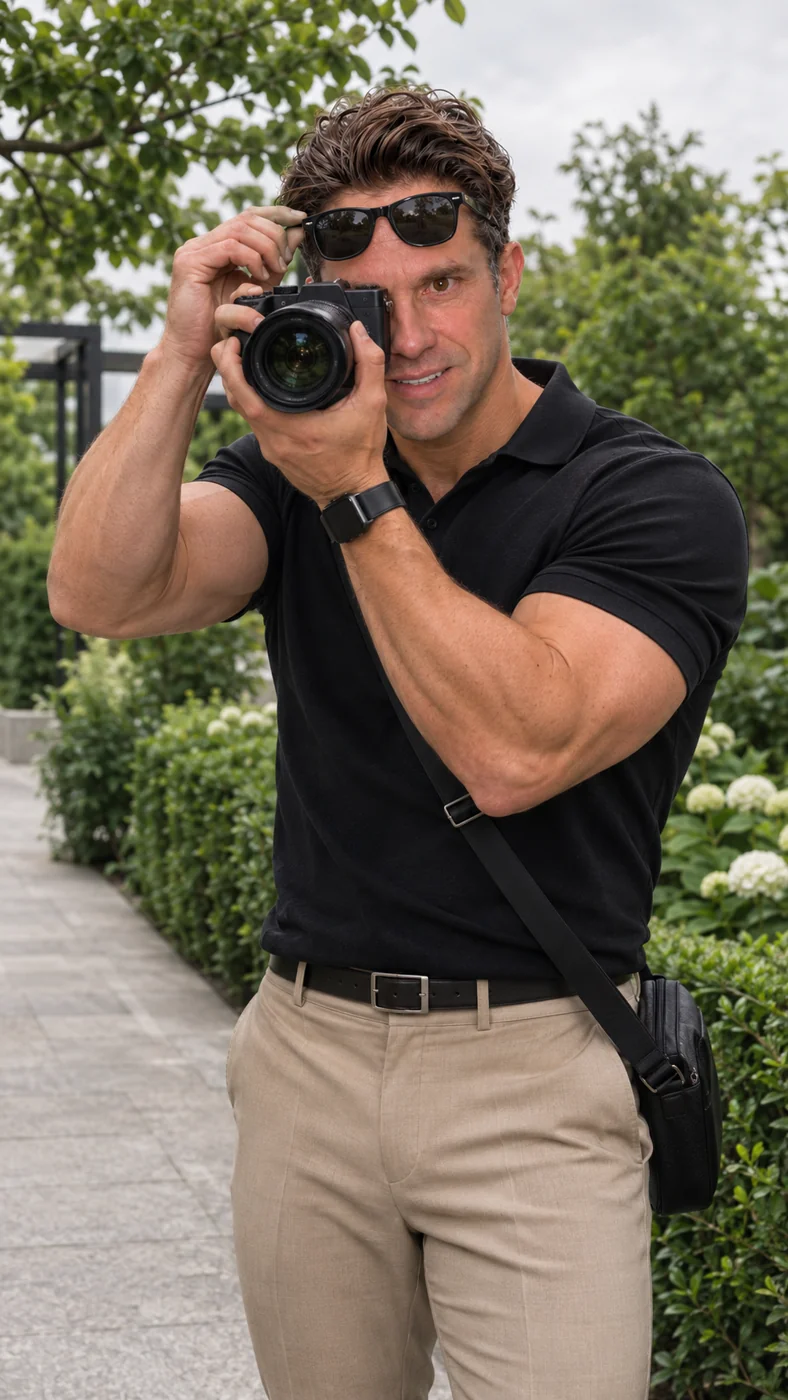
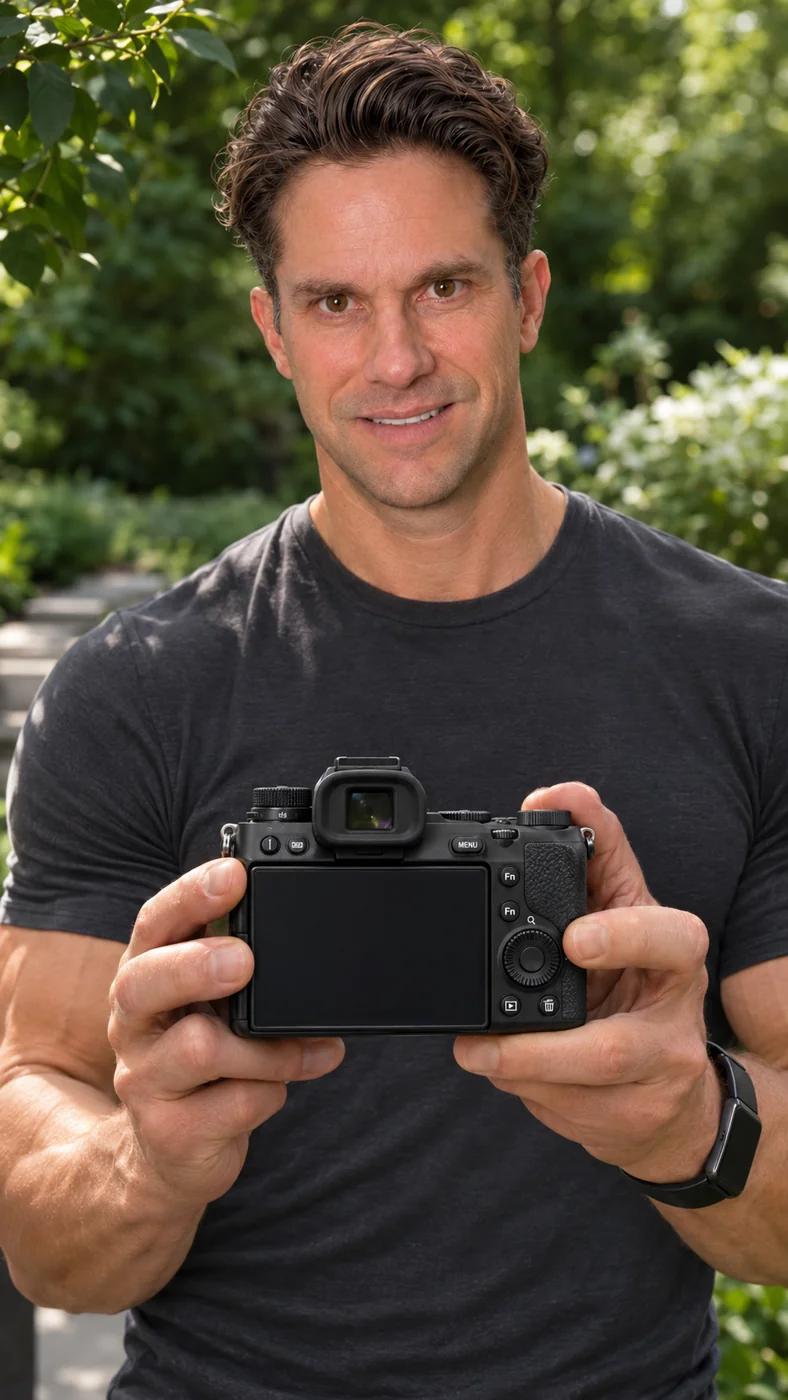
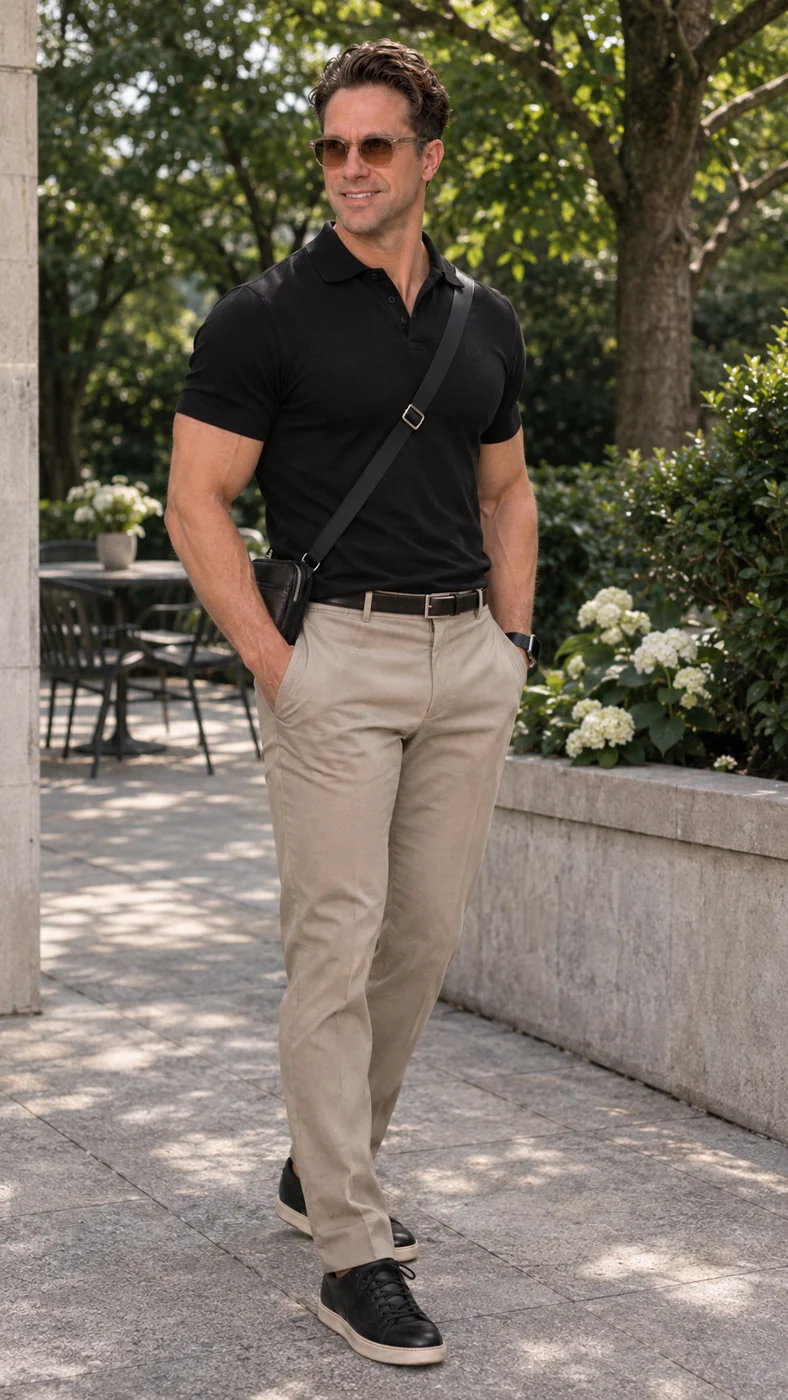
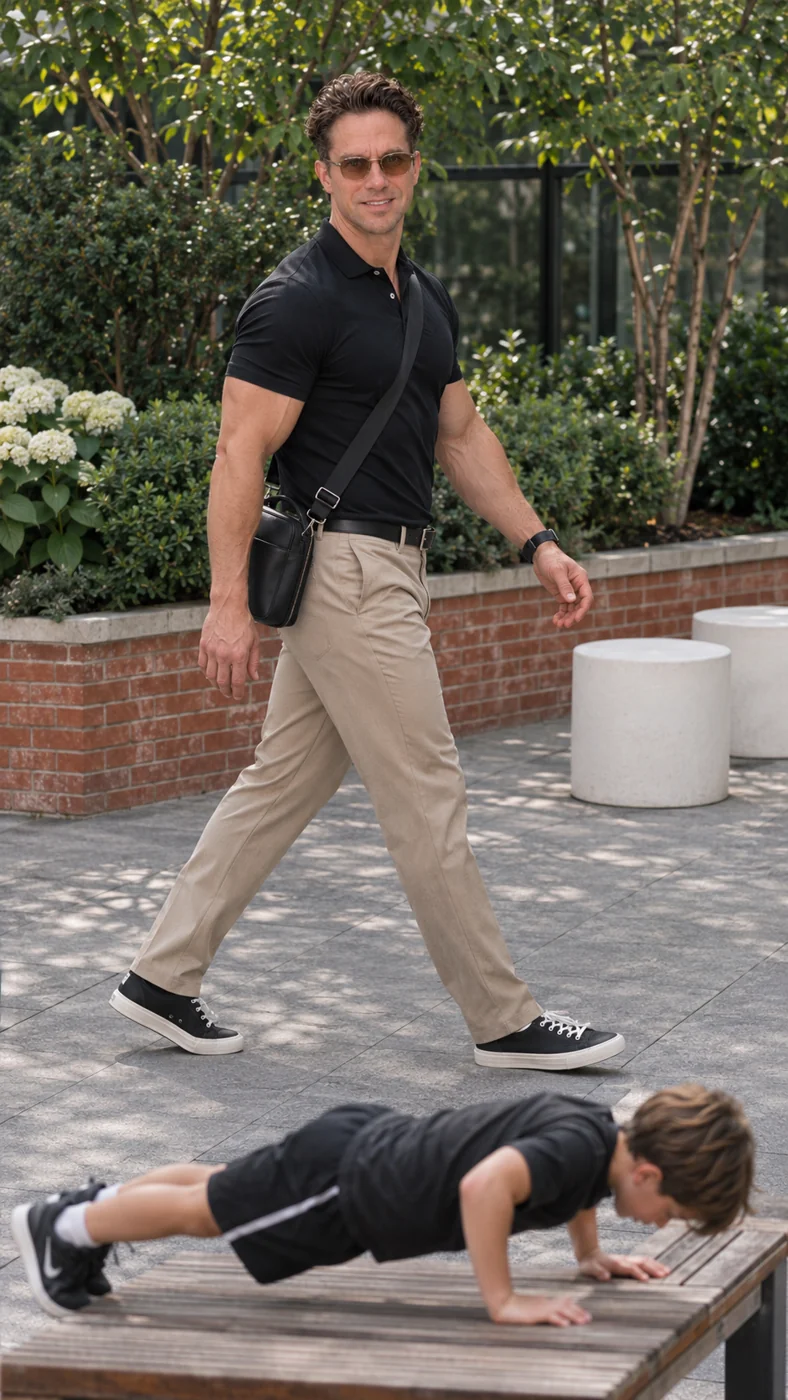
The camera sequence moves from a photographer pose to a camera-back view, then to the portrait itself and a wider photobomb. Three prompts cover the four result images.
See the looks
The 4 result images below follow the reel in order. A prompt with several examples has one matching prompt link for all of them.
What you can make
- Make a photographer portrait, a fashion portrait and a playful wider reveal.
- Reusable prompts you can adapt to your own work.
- The portrait image is made separately from the camera screen. To recreate the reel’s screen reveal in a video, place that portrait on the LCD with your editing app; the image prompt itself makes the standalone still.
Choose your source photo
Start with a clear portrait or full-body photo of yourself in the outfit you want to keep. For the second prompt, use your camera-in-hand result as the reference; for the final wider scene, use the resulting fashion portrait. You do not need a photo of a child or a second person.
Open an image editor
Use an image editor that accepts an uploaded reference photo. The example artwork was made with OpenAI’s image generation tools. Attach the photo before pasting a full prompt below. The short slash labels in the reel are names for the looks; use the complete text here.
Make camera in hand
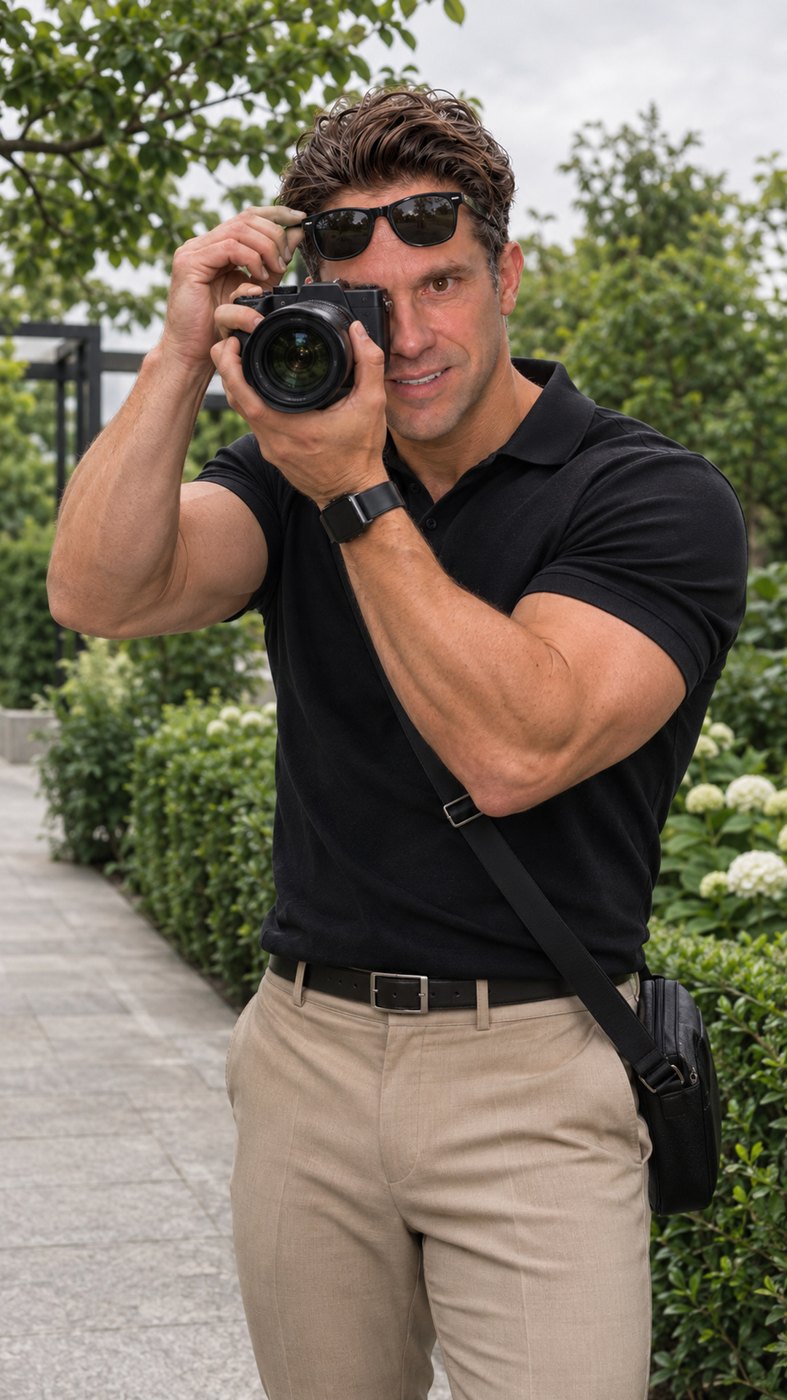
Copy the complete prompt below and generate one image. Use your original photo and make A first; rerun for camera-back variation B.
Use the attached photo as the identity reference. Preserve the same person’s face shape, age, skin tone, hairline and natural body proportions. Keep a recognizable face, realistic hands and believable anatomy. Create ONE photographer portrait with the original outfit and accessories. Variation A: the person holds a black mirrorless camera up to one eye, elbows relaxed, in a green outdoor garden under bright overcast sky. Keep the face recognizable around the camera. Variation B: bring the camera down to chest height, hands holding it securely and its back facing the viewer, with a large plain dark rectangular LCD and sharp mechanical controls; use shallow-focus garden greenery behind. Start with A; rerun selecting B for the second example. Frame the person naturally with believable fingers around the camera body. Render one coherent photographic image in vertical 9:16, with natural skin texture, believable fabric and subtle photographic grain. No text, logos or watermark.
Make show the portrait
Copy the complete prompt below and generate one image. Upload your camera-in-hand result. This makes the standalone portrait shown after the camera view.
Use the attached photo as the identity reference. Preserve the same person’s face shape, age, skin tone, hairline and natural body proportions. Keep a recognizable face, realistic hands and believable anatomy. Use the camera-in-hand result as the identity and outfit reference. Create a three-quarter fashion portrait of this same person standing on a garden terrace with trees, looking to camera-left. Relax the arms, with one hand near a trouser pocket; keep the original clothing and accessories. The camera is outside the frame: make the actual portrait image, not a picture embedded in a camera display. Soft directional daylight and a natural street-photography viewpoint. Render one coherent photographic image in vertical 9:16, with natural skin texture, believable fabric and subtle photographic grain. No text, logos or watermark.
Make reveal the photobomb
Copy the complete prompt below and generate one image. Upload your fashion portrait result and ask for the wider scene.
Use the attached photo as the identity reference. Preserve the same person’s face shape, age, skin tone, hairline and natural body proportions. Keep a recognizable face, realistic hands and believable anatomy. Use the portrait result as the person and clothing reference. Widen the view to a full-body garden-terrace street photograph: the main person walks left to right with their head turned toward the camera. Include a low red-brick planter, shrubs, white cylindrical stools and a wooden bench in the foreground. Add one small distant fully clothed child in ordinary black sportswear doing push-ups beside or along the low bench, face looking down, as an incidental photobomb. Keep the main person as the focal point and give all people realistic separate limbs. Soft directional daylight. Render one coherent photographic image in vertical 9:16, with natural skin texture, believable fabric and subtle photographic grain. No text, logos or watermark.
Compare and save
Open the result at full size. Compare the face, hands, clothing and body proportions with your source. If something drifts, regenerate from the original and ask the editor to correct that specific detail. Save each finished look separately.
Make it your own
The portrait image is made separately from the camera screen. To recreate the reel’s screen reveal in a video, place that portrait on the LCD with your editing app; the image prompt itself makes the standalone still.